10 iPhone hacks to take travel photos like a pro

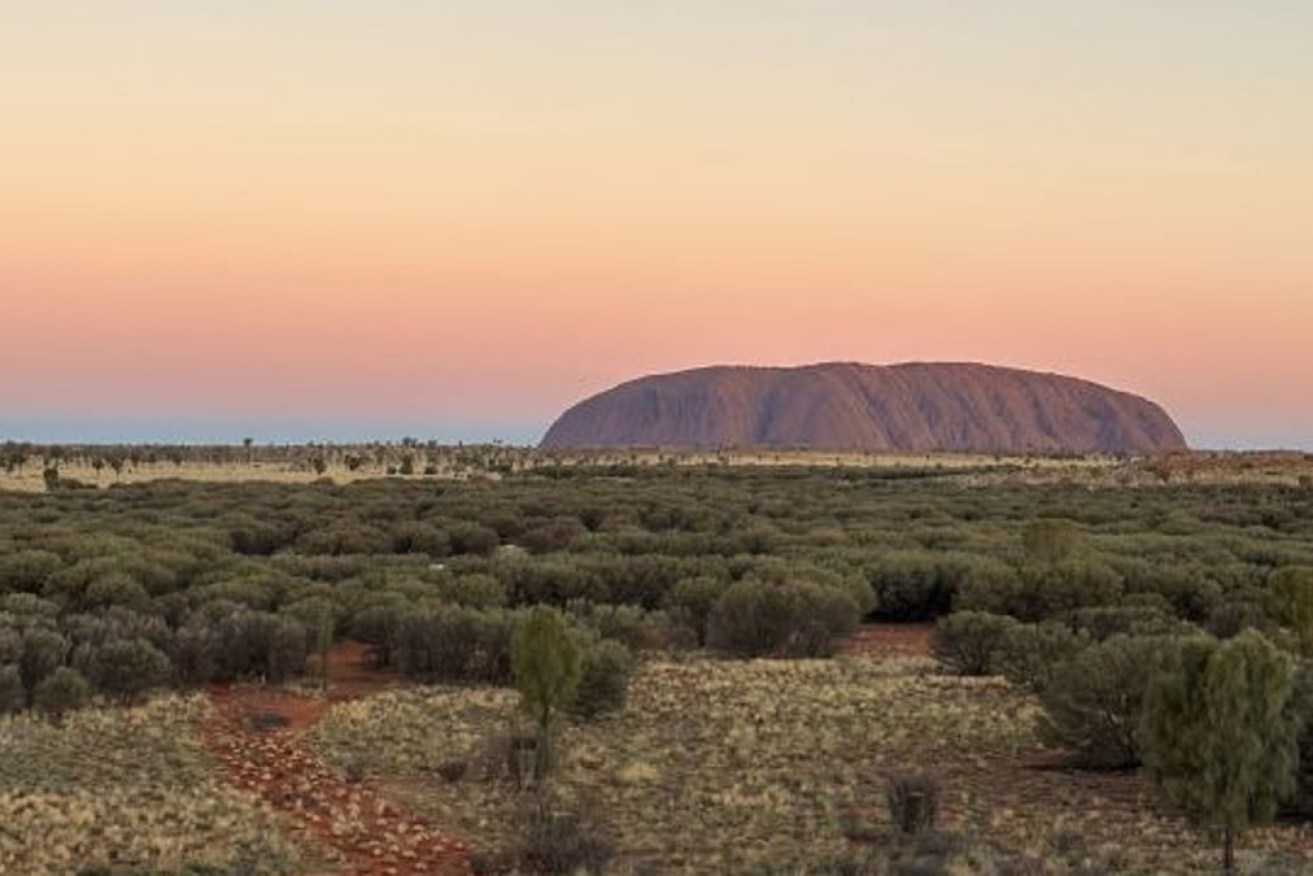
The quality of iPhone images is much better than it used to be. Photo: Emily Murphy
I was hanging out for the iPhone 17 Pro to launch before upgrading my iPhone 14 Pro.
Back when I bought the 14 Pro, it was top of the line, but smartphone cameras are advancing at lightning speed. Every generation seems to reinvent what pocket photography can do, and this one is particularly exciting. With three 48MP rear lenses, improved low-light performance and cinematic zoom, it is like carrying a mini DSLR in my carry-on.

A photo of women from the Yakel tribe taken on an iPhone 14 Pro. Photo: Emily Murphy
Now, before you say that iPhone photos will never quite measure up to a real DLSR, which is true to an extent, iPhone quality isn’t what it used to be. I’ve had multiple images published in our print magazines that I took on my iPhone, including a stunning portrait of three young women from the Yakel tribe in Tanna, Vanuatu, which is the best picture I’ve ever taken.
And because I travel for a living, I have learnt that even the best camera is wasted without the right tricks. Here are the hacks I swear by to take my iPhone travel photos from “holiday snaps” to “wish you were here” moments.
1. Use the grid for symmetry

The grid is your trusty sidekick. Photo: Emily Murphy
Head to Settings > Camera > Grid and switch it on. Lining up the horizon on the lower third makes that endless outback road look like it belongs on a movie poster.
2. Shoot in ProRAW

Shoot in ProRAW and edit the image later. Photo: Emily Murphy
Standing at the base of Uluṟu or floating on a canoe in the Cocos Keeling Islands deserves more than a quick snap. Switch to ProRAW mode to capture all the detail you can, then polish it later without losing sky colour or texture.
3. Master night mode
From street food markets in Melbourne to light shows in Adelaide, night mode on the iPhone 17 Pro captures vibrant colour and sharp detail. Hold steady for a few seconds and watch the magic appear.
4. Use the telephoto lens with confidence

For the first time ever, all three iPhone lenses are the same quality. Photo: Emily Murphy
Sometimes you cannot get closer, like when you are peering over a cliff edge or watching wildlife from afar. The 17 Pro’s new 5x telephoto zoom makes it possible to frame details without sacrificing quality.
5. Go ultra-wide for landscapes

Use ultra-wide to show scale. Photo: Emily Murphy
From Tasmania’s Bay of Fires to The Kimberley’s Horizontal Falls, the ultra-wide lens is perfect for showing the scale of a place. Tilt your phone upwards slightly to exaggerate the height of cliffs or mountains.
6. Capture motion with Live Photos
Hold down the shutter to record a few seconds of movement. Crashing waves, lanterns drifting into the sky, or a kookaburra mid-flight will bring your memories to life. Later, you can even turn these into long exposure shots.
7. Edit on the fly

Edit your pictures as you go. Photo: Emily Murphy
Travelling light? The built-in editing tools do more than enough. Bring out shadows, soften highlights and use the vibrance slider instead of saturation for natural-looking colour.
8. Clean the lens every time

Don’t forget to clean your lens. Photo: Emily Murphy
It sounds basic, but a quick wipe before shooting makes all the difference. Think of it as part of your pre-photo ritual.
9. Pack a pocket light
Natural light is king, but travel does not always deliver perfect conditions. A small portable light can rescue a dim hotel room, a moody restaurant, or a shadowy temple interior. I always carry one, and it makes a huge difference. This is the one I use .
10. Shoot video with intention
The iPhone 17 Pro is a beast for video, with cinematic mode, stabilisation and Dolby Vision HDR. The trick is to treat it like you are directing a film. Move slowly, only pan with purpose and use both hands for stability. Bonus points if you have a gimbal. Short clips are best for editing later, and always think about capturing sound – a bustling market or crashing waves can bring your travel video to life.
The iPhone 17 Pro is already a powerhouse for travel photography, but the real magic comes when you learn how to use it well. With a few simple hacks, your shots will capture the spirit of your travels so vividly that your friends will feel like they are right there beside you.
This story first appeared in Australian Traveller. Read the original here.
Want to see more stories from The New Daily in your Google search results?
- Click here to set The New Daily as a preferred source.
- Tick the box next to "The New Daily". That's it.
Australia’s coolest neighbourhood may surprise


Seven ways to make budget flights work in Europe

Compared to driving, flying is extraordinarily safe

